
Losing your mobile phone or SIM card can quickly turn into a serious security issue. Mobile number is frequently associated with banking apps, WhatsApp, emails and one-time passwords (OTPs). If a person obtains access to your SIM device, they could be able to use your accounts.
There are several official methods to block a lost or stolen SIM in Pakistan with Telenor. You ill see the newest techniques, how to ask for a new SIM, and what to do right after you lose your phone.
Why You Should Block Your Telenor SIM Immediately
A lost SIM is more than just an inconvenience. It can expose your personal information and online accounts.
Blocking your SIM immediately helps you:
- Prevent unauthorized calls and SMS
- Protect banking OTPs
- Secure your WhatsApp account
- Stop SIM swap fraud
- Avoid misuse of your registered mobile number
The sooner you report the loss, the lower the risk of someone accessing your accounts.
Official Ways to Block a Telenor Lost or Stolen SIM
Telenor currently offers multiple ways to suspend your SIM depending on your situation.
Method 1: Call the Telenor Helpline
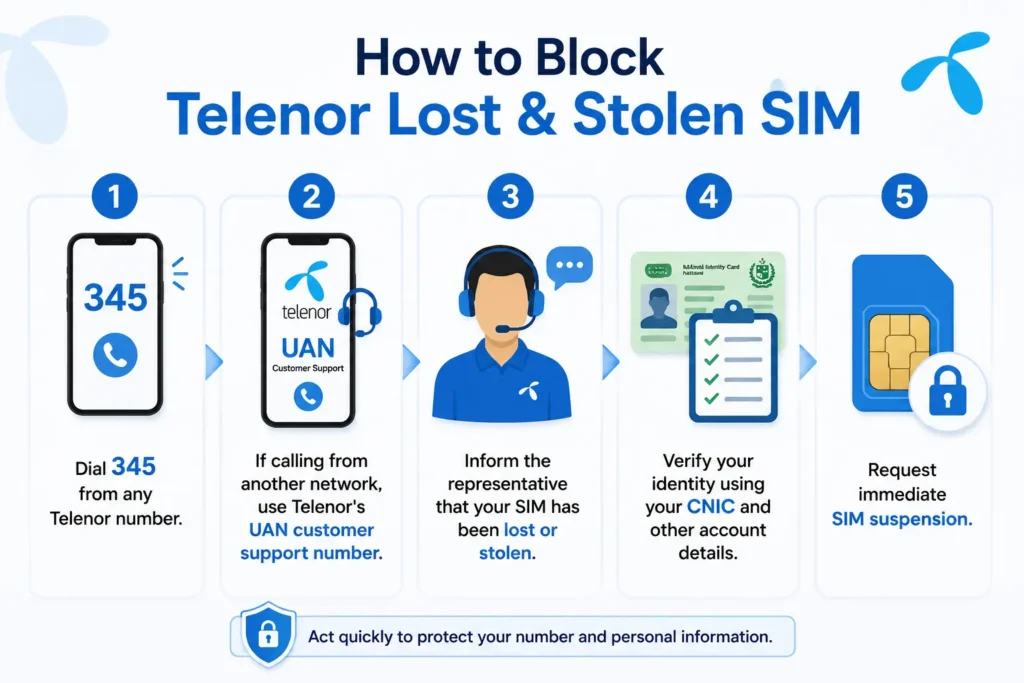
This is the fastest option if you have access to another phone.
- Dial 345 from any Telenor number.
- If calling from another network, use Telenor’s UAN customer support number.
- Inform the representative that your SIM has been lost or stolen.
- Verify your identity using your CNIC and other account details.
- Request immediate SIM suspension.
Once verification is complete, your SIM will be blocked to prevent unauthorized use.
Method 2: Block Through the My Telenor App
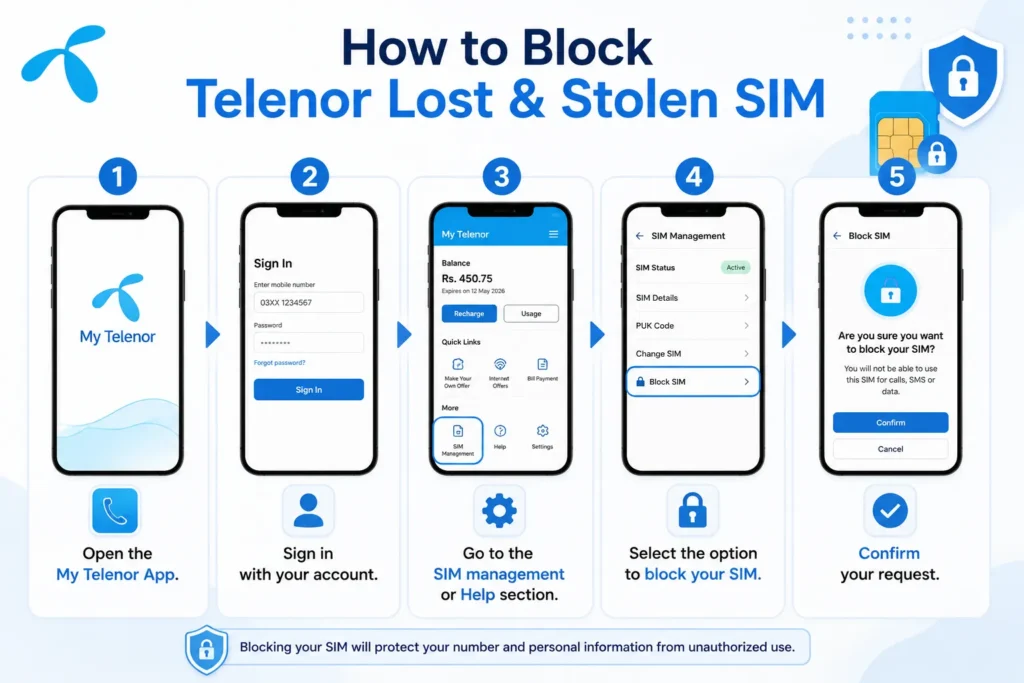
The latest versions of the My Telenor App include self-service SIM management, including SIM blocking and unblocking.
- Open the My Telenor App.
- Sign in with your account.
- Go to the SIM management or Help section.
- Select the option to block your SIM.
- Confirm your request.
This method is useful if you’re already logged in on another device.
Method 3: Visit a Telenor Franchise or Customer Service Center
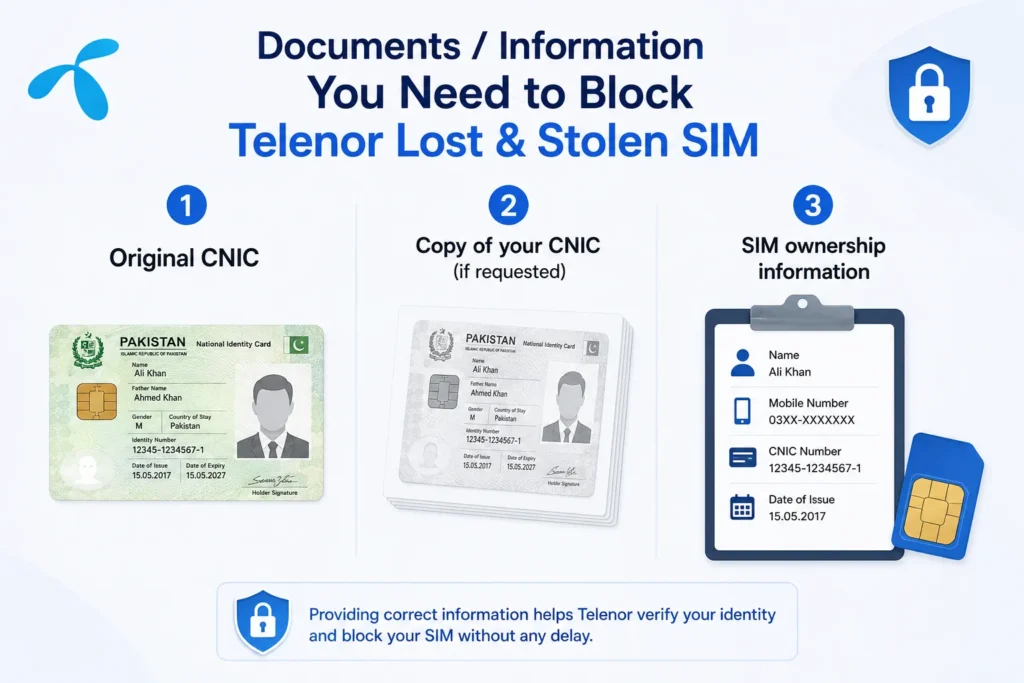
If you cannot access the helpline or app, visit the nearest Telenor franchise.
- Original CNIC
- Copy of your CNIC (if requested)
- SIM ownership information
After biometric verification, the staff can block your old SIM and help you obtain a duplicate SIM.
Can You Block a Telenor SIM Online?
Yes, depending on the services currently available, Telenor offers online support options through its website and the My Telenor App. Availability may vary over time, but the app now supports SIM blocking for eligible users.
How to Get a Duplicate Telenor SIM
After blocking your SIM, you can request a replacement.
- Visit your nearest Telenor franchise.
- Bring your original CNIC.
- Complete biometric verification.
- Request a duplicate SIM.
- Pay the applicable replacement fee, if required.
- Activate the new SIM after approval.
Your old SIM will remain permanently deactivated once the replacement SIM is issued.
What Should You Do After Blocking Your SIM?
Blocking the SIM is only the first step.
- Change passwords for important accounts.
- Remove the lost device from your Google or Apple account.
- Notify your bank if your number is linked to mobile banking.
- Re-register WhatsApp on your replacement SIM.
- Monitor your accounts for suspicious activity.
Helpline and Contact Information
| Service | Details |
|---|---|
| Telenor Helpline | 345 (from a Telenor number) |
| Customer Support | UAN support number available through Telenor customer care |
| Franchise | Any authorized Telenor service center |
| Mobile App | My Telenor App |
Frequently Asked Questions
Can I recover my old number?
Yes. If the SIM is registered in your name, you can usually receive a duplicate SIM after identity verification.
Will blocking my SIM delete my contacts?
No. Contacts stored on your phone or synced with your Google or Apple account remain unaffected. Contacts saved only on the physical SIM may not be recoverable.
Can someone access my WhatsApp with my lost SIM?
Yes. If they receive verification codes, they may attempt to activate WhatsApp on another device. Blocking the SIM quickly helps prevent this.
Is the My Telenor App available for SIM blocking?
Yes. Recent versions of the My Telenor App include SIM blocking and unblocking features for eligible users.